










 |
| PilotsDeck/StreamDeck Profile for ToLiSS A321
Here are the StreamDeck Profiles I use with my PilotsDeck Plugin for the ToLiSS A321.
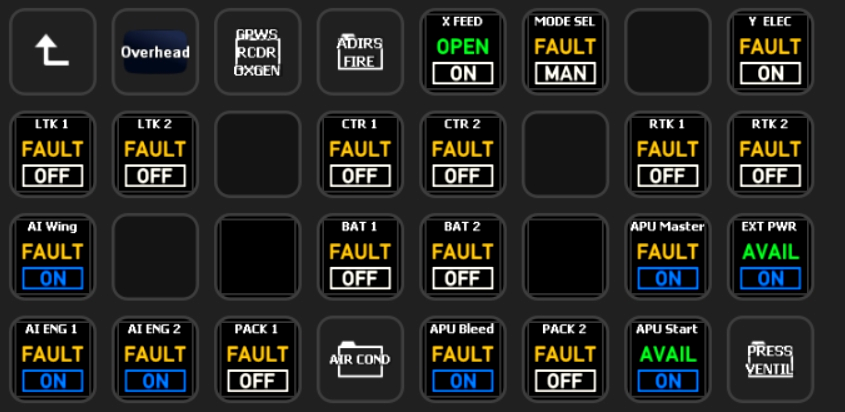
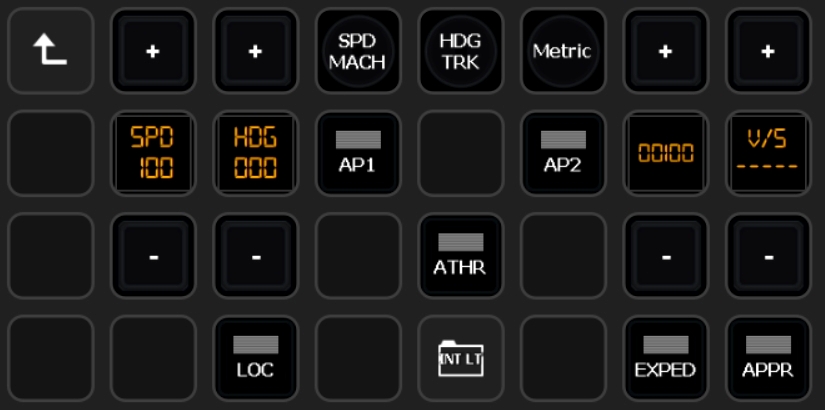
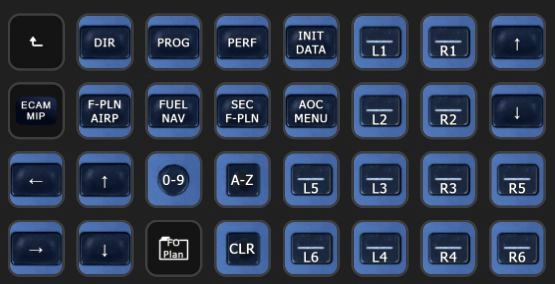
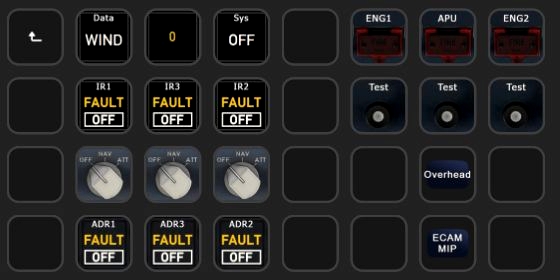
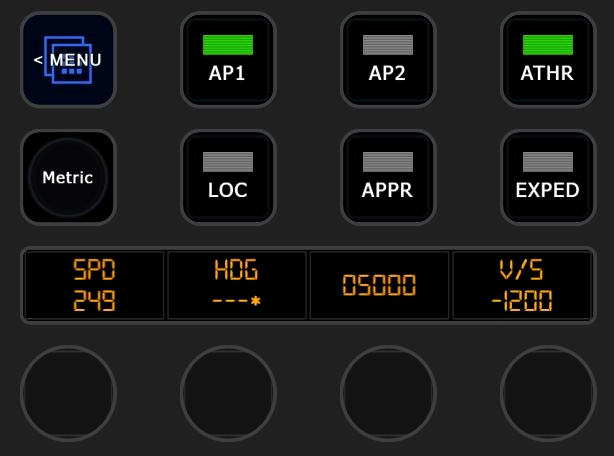
It has all the usual Buttons/Switches/Korries from the Overhead, MIP/Glareshield, Pedestal, FCU (working) and MCDU (with Full Keyboard) to support normal Flight Operations without touching the Mouse!
They are designed for my SD/XL/Plus Setup:
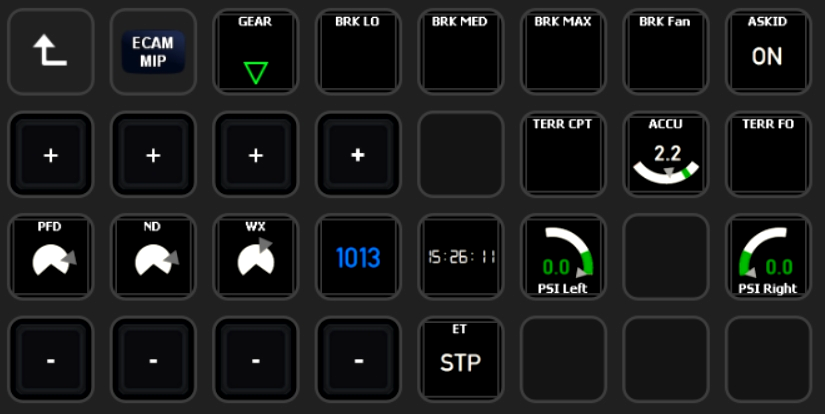
- XP-ToLiSS-A321 => The SD Profile which only has supplementary Functions: Changing Views, Calling Ground Ops and Better Pushback, UTC Clock and the XPDR
- XP-ToLiSS-A321-Plus => SD+ Profile with mostly everything that makes Sense to control via the Encoders: FCU, EFIS, Radio, ACP, WXR, Display-Brightness, Lights
- XP-ToLiSS-A321-XL => The XL Profile with all Functionalities. Besides specific Folders for the different Panels/Areas it has Folders for the different Flight-Phases with the most critical/common Controls needed for that Phase.
That means you need at least the StreamDeck XL (or SD+) to get any Use out of it. Please don't ask for SD-Only Profiles - it just got too much to maintain. But you can still use the Plugin and the other Files from this Package to build your own SD Profile customized for your Needs!
The Profiles are for your own and private Usage. You are not allowed to republish / reupload them or any other Package-Content anywhere.
The Package contains the following:
- The mentioned Profiles as .streamDeckProfile Files
- Lua-Files with custom Commands and DataRefs for the Profiles
- The custom Images used in this Profile (Credits & Thanks to Guenseli!)
Requirements & Setup
Requirements:
- You need to have at least Version 0.7.8 of my PilotsDeck Plugin installed & running
- You need to have the FlyWithLua XP-Plugin installed
- The Profiles require the Fonts "Digital 7" and "Alte Din 1451 Mittelschrift" installed on your System - you can find them freely in the Internet
- Many Buttons use vJoy System Driver - it is strongly recommended to have that optional Plugin Dependency installed
- Tested with the A321 (CEO) v1.5.1
Installation:
- Copy/Extract the Images to the Plugin: %appdata%\Elgato\StreamDeck\Plugins\com.extension.pilotsdeck.sdPlugin\Images
- Double-Click the Profile Files to install them. Make sure to select the correct StreamDeck first in the UI before installing the corresponding Profile (if you have more than one StreamDeck).
- Place the Lua-Files in your FlyWithLua\Scripts Folder.
Setting up the Views:
The Buttons to change Views are based on the normal sim/view/quick_look_X Commands. If you already have these Quick Looks defined for the ToLiSS, change the Mapping in the Profiles accordingly. But you could also use these Buttons to setup the Views: the long Press on these Buttons are mapped to sim/view/quick_look_X_mem - so enable the long Press and set & save the View! (The long Press is disabled by default to prevent overwriting a Quick Look accidentally)
vJoy Button Mappings:
These Commands need to be mapped in X-Plane to the vJoy Virtual Joystick:
| vJoy Button# | Command DataRef | Command Description |
| 31 | AirbusFBW/PaxOxyReleaseButtonPress | Release the passenger oxygen masks |
| 32 | AirbusFBW/CVRTest | CVR Test button pressed |
| 33 | AirbusFBW/FireTestENG1 | Test Fire detection circuits for engine 1 |
| 34 | AirbusFBW/FireTestAPU | Test Fire detection circuits for engine APU |
| 35 | AirbusFBW/FireTestENG2 | Test Fire detection circuits for engine 2 |
| 36 | AirbusFBW/CabVSUp| Manual Cabin Pressure Control held in 'UP' direction |
| 37 | AirbusFBW/CabVSDown | Manual Cabin Pressure Control held in 'DOWN' direction |
| 38 | sim/flight_controls/rudder_trim_left | Yaw trim left |
| 39 | sim/flight_controls/rudder_trim_right | Yaw trim right |
| 40 | sim/flight_controls/pitch_trim_down | Pitch trim down |
| 41 | sim/flight_controls/pitch_trim_up | Pitch trim up |
| 42 | AirbusFBW/TOConfigPress | Pressing the TO config button on the ECP |
Usage
I hope/think most Buttons should be self-explanatory. They are generaly configured in such a way to trigger the most common Action in the respective Phase. If applicable, they have a long Press for Off, Reset or a second Key. Some Notices:
- The (3-State) Light Switches behave differently depending on Folder
- On "Gate" they are toggled between Low- and Mid-Position.
- On "Taxi" they toggle from Low > Mid <> Up (so they can quickly be triggered when entering/leaving the Runway). A long Press will set to Low.
- On "Flight" they toggle from Low <> Up (so full either full on or off). Except the Strobes ;)
- The vJoy Button Mappings allow the respective Buttons to be pushed and hold (like you would do with the Mouse).
- The FCU-Displays are also Buttons. They either toggle between Managed/Selected (normal Press) or toggle things like SPD/MACH, HDG/TRK, Alt Scale (long Press). The VS Display/Button is Pull (normal) or Push (long). On the SD+ Managed/Selected is on pressing the Encoder and the other toggle Functions on the Touch-Display.
- The SD+ has different Pages. You can use the Buttons to navigate between them, or use the Swipe-Feature to go to the next / previous Page - for Example for a quick Switch from FCU to Radio or FCU to EFIS.
- The Radios on the SD+ are done with Encoder-Stacks: Push the Dial to switch between Outer and Inner Knob (a ">" or "<" denotes the current Knob). Tap the Touch-Display to swap Frequencies. (Turn -> Press -> Turn -> Tap)
- The MDCU Menu Keys have long Presses: "INIT DATA" for Example will select the INIT-Page on a normal Press and the DATA-Page on a long Press.
- Some ECP Buttons in the Phase-Folders have long Press Assignements for other Pages or STS/RCL.
- Generally on other Multi-Position Switches the normal and long Press either are mapped to the different Directions (e.g. normal is UP/ON, long is DOWN/OFF) OR the Action automatically toggles between the usual States (e.g. the XPDR from XPNDR to TA to TARA and back to XPNDR)
Additional Notes
PilotsDeck-TLS321-Cmd
This Script contains Lua Functions addressed by some Actions in the Profiles. They are prefixed with "FlyWithLua/TLS2PLD".
PilotsDeck-TLS321-Sync
This Script runs every 6 Frames to generate some custom DataRefs used in the Profiles - it is vital for the FCU Displays. They are also prefixed with "FlyWithLua/TLS2PLD".
It also syncs the FD and LS Buttons (the Captain Side is the Master). If you do not want that, set the Variable SYNC_FDLS to false at the top of the File.
You can also change the Update Frequency with the FRAME_MOD Variable there.

Adjet
PF SPD is missing in the streamdeck congiguration editor. Does anyone have this operational? I'm using Toliss A321NEO. Regards Ad
Fragtality 3 month(s) ago
Can't follow - what is "PF SPD"?
Rummel
Leider funktioniert bei mir die Insatllation nicht. Ich denke ich habe alles nach anleitung installiert. Schade finde ich ganz toll.
Fragtality 4 month(s) ago
Was genau funktioniert bei der Installation nicht?
Fragtality 4 month(s) ago
Eventuell ist nur .NET 8 und kein 7er Version installiert? Bitte für den Moment das 7er installieren
GlennChambers
Great profile. Works more or less out of the box, read the installation notes first. Will try to use this as a template/begin for the A320 NEO as that uses a few different datarefs.
Karaya2
Amazing profile for both the StreamDeck XL and the StreamDeck+, adds so much to the experience, thanks a lot for sharing it! Also works perfectly with the ToLiss A319.
Any chance for a converted version for the new ToLiss A320 NEO? - They apparently changed some DataRefs as well of button mappings, so a lot of buttons and status displays are not working with the A320 NEO.
Fragtality 1 year(s) ago
Well, not very soon - you're better of just cloning/copy the Profiles and editing the Actions yourself.
I'm currently busy with my other Tools/Profiles and don't really want to spend another 90$ just for creating a Profile. Did flew the A321 maybe like two-three Times just to test the Profile and Scripts. X-Plane 12 is just not there yet (for me) to spend more Time on it except for the Development of the Plugin.
What is definitely (way down) on my ToDo List is to change these A321 Profiles to use the normal AirbusFBW ATA DataRefs where applicable. Apparently using the ckpt/lamp/ DataRefs is considered Bad Practice ^^ This could explain why so much is "broken" for the NEO (new Cockpit and such).
FlakBaitLU
Excellent profiles for A321. Thank you so much for developping and sharing them !